
Popular Types of Panda PFP
Panda profile pictures come in many styles. Your choice can match your favorite colors, online identity, or the mood you want your profile to convey.
| Panda PFP Style | Main Features | Best For |
|---|---|---|
| Cute Panda PFP | Round face, big eyes, soft colors | Instagram and WhatsApp |
| Aesthetic Panda PFP | Clean backgrounds and pleasing tones | Pinterest and TikTok |
| Funny Panda PFP | Silly expressions and humorous poses | Discord and group chats |
| Anime Panda PFP | Illustrated features and expressive eyes | Anime communities |
| Black Panda PFP | Dark backgrounds and bold contrast | Gaming profiles |
| Baby Panda PFP | Small pandas and playful poses | Cute-themed accounts |
| Minimalist Panda PFP | Simple lines and limited colors | Professional or clean profiles |
| Cool Panda PFP | Sunglasses, hoodies, or confident poses | Gaming and social accounts |
Cute Panda PFP
A cute panda PFP works well for anyone who likes soft, cheerful profile designs. Round faces, fluffy ears, tiny paws, and large eyes give these images an appealing appearance.
Popular choices feature pandas eating bamboo, hugging plush toys, sleeping on a branch, or sitting with a relaxed expression. Pastel pink, cream, light blue, and lavender backgrounds can add a gentle touch.
Try these ideas:
- A baby panda holding a piece of bamboo.
- A sleepy panda resting its head on its paws.
- A cartoon panda surrounded by tiny hearts.
- A fluffy panda sitting against a pastel background.
- Two pandas sitting together in a playful pose.
These styles suit personal accounts, fan pages, and messaging profiles.
Aesthetic Panda PFP
An aesthetic panda PFP combines the animal’s familiar appearance with carefully selected colors, lighting, and composition. Some designs use soft sunlight and natural greenery, while others feature monochrome photography, grainy textures, or muted backgrounds.
For a clean aesthetic, choose an image with one main subject and limited background detail. A close-up panda portrait can work particularly well because the face remains visible inside a small circular profile crop.
Popular aesthetic themes include:
- Black-and-white panda photography.
- Panda portraits with a soft film effect.
- Minimalist panda illustrations on beige backgrounds.
- Pandas surrounded by bamboo leaves.
- Dreamy artwork with pastel colors and subtle lighting.
A simple design can look polished without extra decorations or text.
Funny Panda PFP
A funny panda PFP gives your account a playful personality. These images may show exaggerated facial expressions, awkward poses, sleepy eyes, or pandas enjoying snacks.
Meme-inspired panda pictures can work especially well on Discord, gaming accounts, and group chats. A panda with a shocked expression, a messy appearance, or a humorous caption can make an ordinary profile more entertaining.
Consider these options:
- A panda looking confused at the camera.
- A panda lying down with a tired expression.
- A panda holding bamboo like a favorite snack.
- A cartoon panda wearing oversized sunglasses.
- A panda making an exaggerated surprised face.
For a recognizable result, choose a picture where the expression remains clear at thumbnail size.
Black Panda PFP
A black panda PFP can refer to a panda image with a dark background, a monochrome edit, or a stylized illustration with deep shadows. This look suits users who prefer bold, understated, or gaming-inspired avatars.
Black backgrounds create contrast with a panda’s white facial markings. Gray tones, subtle highlights, and limited visual effects can add depth without making the image too busy.
For a darker style, try a panda portrait with low lighting, a black hoodie, or a charcoal background. Avoid excessive shadows across the eyes, since those markings help viewers identify the animal.
Anime Panda PFP
An anime panda PFP features an illustrated panda with expressive eyes, clean outlines, and a character-inspired appearance. Artists may give the panda colorful accessories, dramatic lighting, oversized expressions, or a Japanese animation-inspired setting.
This style suits anime fans, artists, gaming communities, and users who prefer illustrated avatars over wildlife photography.
You can select a cheerful panda character, a mysterious black-and-white portrait, or a panda wearing a jacket and headphones. Custom artwork can also combine panda features with your favorite colors or clothing style.
If you use a recognizable copyrighted character, check the artist’s usage terms before reposting or using the image for commercial purposes.
Baby Panda PFP
A baby panda PFP focuses on the small size and playful appearance of young giant pandas. These pictures may show a cub lying on its back, climbing, sitting beside its mother, or playing with a toy.
Real wildlife photographs give the profile a natural appearance, while cartoon versions create a softer and more colorful effect.
For the best result, select a clear image with the cub near the center. Close-up pictures usually work better than distant wildlife shots because the animal remains visible after cropping.
Cool Panda PFP for Gaming
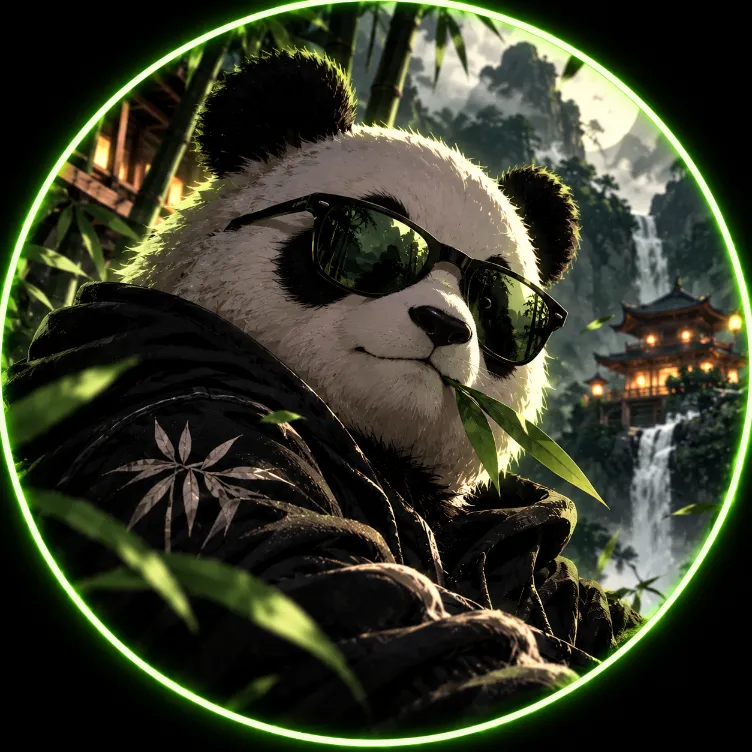
A cool panda PFP suits players who want an avatar with a confident, modern appearance. Designs may feature hoodies, headphones, sunglasses, neon accents, or a dramatic black background.
Discord, Steam, and other gaming communities support many different avatar styles, so you can choose a design that matches your gaming identity.
Here are a few ideas:
- Panda wearing headphones with a neon-blue background.
- Panda character in a black hoodie.
- Cartoon panda with red and purple lighting.
- Minimalist panda face with sharp outlines.
- Panda wearing sunglasses against a dark background.
Keep the face or main symbol near the center. This helps your avatar remain recognizable in small profile circles and chat lists.
How to Choose the Best Panda PFP
The right panda profile picture depends on your preferred style and the platform where you plan to use it.
Follow these tips:
- Match your personality: Select cute, funny, minimalist, or dark artwork that suits your online presence.
- Check image quality: Choose a sharp picture without heavy pixelation.
- Keep the subject centered: Many platforms crop profile images into circles.
- Use balanced colors: Strong contrast helps the panda remain visible.
- Avoid excessive detail: Small images can hide tiny decorations and text.
- Check image permissions: Use your own artwork, images with suitable licenses, or pictures whose creator permits your intended use.
A square image works well for most profile-picture uploads. A resolution of 512 × 512 pixels or higher usually gives you enough detail for a crisp avatar, although individual platforms may have their own requirements.
Best Panda PFP Ideas by Platform
Different platforms suit different avatar styles, depending on the audience and the way profile images appear.
| Platform | Recommended Panda Style | Why It Works |
|---|---|---|
| Aesthetic or cute panda | Fits personal and themed profiles | |
| TikTok | Funny or colorful panda | Creates a playful visual identity |
| Discord | Anime or gaming panda | Suits community and gaming avatars |
| Baby or cartoon panda | Looks friendly in chats | |
| Minimalist or aesthetic panda | Matches visual inspiration boards | |
| YouTube | High-contrast panda portrait | Remains clear at a small size |
| Steam | Dark or cool panda | Fits gaming profile themes |
These are suggestions rather than platform rules. Any suitable panda image can work if it meets the platform’s image requirements.
Where to Find Panda PFP Images
You can find panda profile pictures through image libraries, artist portfolios, and design platforms. Search with descriptive phrases rather than using only the word “panda.”
Useful search terms include:
- Cute panda PFP.
- Aesthetic panda profile picture.
- Funny panda avatar.
- Black panda PFP.
- Anime panda icon.
- Baby panda profile picture.
- Panda gaming avatar.
- Minimalist panda drawing.
Pinterest can help you discover visual styles, while Unsplash and Pexels may provide panda photography subject to their respective license terms. Wikimedia Commons also contains images with different licensing conditions.
Always check the individual image’s license. A picture appearing in search results does not automatically grant permission to reuse it.
How to Make Your Own Panda PFP
Creating a custom panda avatar gives you more control over its colors, expression, and overall appearance.
- Choose a style, such as realistic photography, cartoon art, or a minimalist icon.
- Select a clear panda image or create an original illustration.
- Crop the subject into a square frame.
- Adjust brightness and contrast so the facial markings remain visible.
- Add a simple background or a small accessory if desired.
- Export the image in a format supported by your platform.
- Preview the avatar at a small size before uploading it.
Free image editors and graphic design tools can help with cropping, color adjustments, and background changes. For an original design, you can also commission an artist or use an image generator that permits your intended use.
Tips for a Clear and Attractive Panda PFP
Small profile pictures need a simple composition. A detailed scene may look impressive at full size but lose its appeal after a platform reduces it to a tiny circle.
Use these practical tips:
- Place the panda’s face near the center.
- Keep the eyes and black facial markings visible.
- Use a background that contrasts with the panda.
- Avoid tiny captions and unnecessary decorations.
- Preview the image on both light and dark interfaces.
- Save a high-quality original before making smaller versions.
A good panda avatar does not need elaborate effects. Clear facial details and a balanced crop can make a simple image more effective than a crowded design.
Final Thoughts on Panda PFP
A Panda PFP can give your online profile a cute, funny, aesthetic, or bold appearance. Baby panda portraits suit cheerful accounts, monochrome designs offer a clean look, and gaming-inspired artwork adds personality to Discord or Steam profiles.
Choose a sharp image, keep the panda near the center, and use a style that matches your preferences. With the right picture and a little attention to image quality, you can create a profile that looks clear and memorable across your favorite platforms.
The basic definitions and practical advice above align with common social media usage: PFP means “profile picture,” and Discord supports customizable avatars.
What does Panda PFP mean?
Panda PFP means a panda profile picture. It refers to a panda image used as an avatar on social media, messaging apps, gaming accounts, or online communities.
Which Panda PFP is best for Instagram?
Cute and aesthetic panda pictures suit Instagram well. A centered portrait with a clean background can remain clear in the circular profile layout.
Can I use a Panda PFP on Discord?
Yes. You can use a suitable panda image as your Discord avatar, provided it follows Discord’s rules and you have the necessary rights to use the image.
Where can I get a free Panda PFP?
You can look at Pexels, Unsplash, Wikimedia Commons, and artist portfolios. Check the license and usage conditions for each image before downloading or reposting it.
How do I make a Panda PFP look aesthetic?
Choose a clear panda portrait, use a simple background, apply balanced colors, and keep the main subject centered. Subtle editing usually works better than excessive effects.
What size works well for a Panda PFP?
A square image at 512 × 512 pixels or higher is a practical starting point for many platforms. Check the requirements of your chosen platform before uploading.
Can I use a cartoon Panda PFP for gaming?
Yes. Cartoon pandas, anime-inspired avatars, and dark panda illustrations can all suit gaming profiles. Pick a design that remains recognizable at a small size.