
A Chill PFP gives your online profile a relaxed, stylish, and effortless appearance. From sleepy anime characters and cozy cats to sunset photography, dark portraits, and minimal illustrations, these profile pictures suit anyone who prefers a calm visual style.
A peaceful avatar can make your social media account feel more personal. Soft colors, natural lighting, simple backgrounds, and relaxed expressions create an appealing look without excessive editing. You can use these styles across Discord, Instagram, TikTok, WhatsApp, Pinterest, and gaming accounts.
What Is a Chill PFP?
PFP stands for profile picture. A Chill PFP refers to an avatar with a peaceful, casual, and laid-back appearance. It can feature a person, fictional character, animal, landscape, or simple graphic.
Most chill profile pictures use visual elements such as:
- Muted colors and gentle shades.
- Relaxed facial expressions.
- Cozy indoor environments.
- Sunset and nighttime scenery.
- Minimal illustrations.
- Soft lighting and subtle effects.
- Simple compositions with little visual clutter.
The main idea is to give your online identity a comfortable appearance that matches your personal taste.
Best Chill PFP Styles to Try
There are plenty of styles to choose from, ranging from soft and cute designs to darker, more mysterious avatars. Each style offers a different visual mood.
1. Chill Aesthetic PFP
A Chill Aesthetic PFP suits users who enjoy soft visuals and attractive color combinations. Pastel backgrounds, dreamy skies, gentle lighting, and artistic edits make these avatars visually pleasing.
Popular ideas:
- A person watching the sunset.
- A cloudy sky with pink and purple shades.
- A cozy bedroom with warm lighting.
- A peaceful landscape with mountains.
- A soft-focus portrait with natural colors.
These designs work particularly well for Instagram, Pinterest, and personal social media accounts.
2. Chill Anime PFP
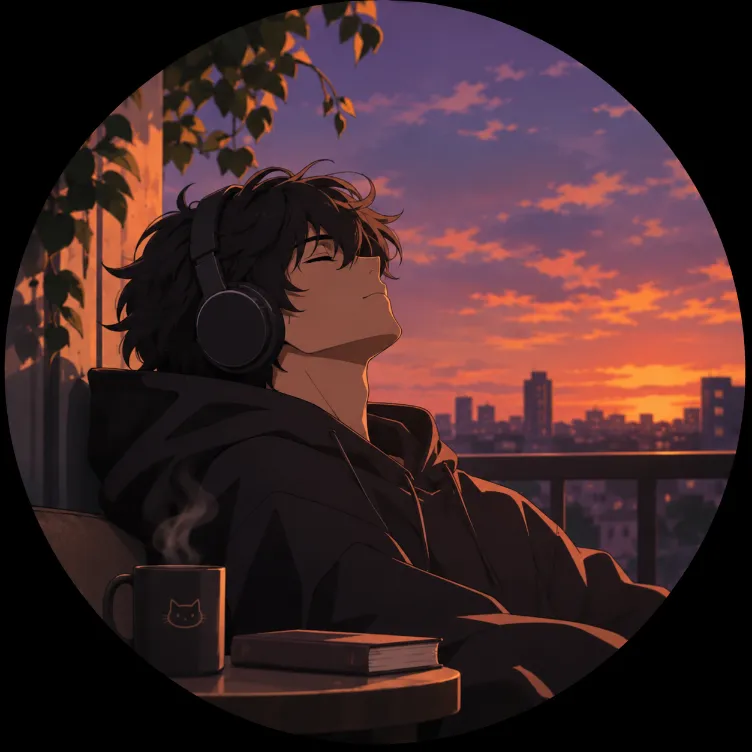
Anime characters offer plenty of relaxed profile picture options. A character sitting beside a window, listening to music, reading a book, or resting under a tree can create a peaceful online appearance.
Popular Chill Anime PFP ideas:
- Anime boys wearing headphones.
- Anime girls enjoying a rainy afternoon.
- Characters watching the sunset.
- Sleepy characters with peaceful expressions.
- Minimal anime portraits with pastel backgrounds.
- Characters relaxing in cozy rooms.
Choose a clear facial expression and a simple background for better visibility at smaller avatar sizes.
3. Chill Cat PFP
A sleepy cat curled up on a sofa or resting beside a window makes a cute and relaxed avatar. Cat pictures suit casual accounts, gaming profiles, and messaging apps.
Some appealing ideas are:
- A fluffy cat sleeping on a pillow.
- A kitten sitting near a sunny window.
- A black cat against a dark background.
- A cartoon cat wearing headphones.
- A sleepy orange cat with closed eyes.
- A cat looking outside during rainy weather.
Cute animal avatars offer a friendly appearance without requiring elaborate designs.
4. Cool Chill PFP
A cool Chill PFP combines a relaxed mood with a stylish appearance. Dark shades, casual outfits, subtle shadows, and confident expressions work well for this category.
Try these styles:
- A person wearing a black hoodie.
- A silhouette under city lights.
- A monochrome portrait.
- A character with headphones.
- A nighttime street photograph.
- A simple portrait with a dark blue background.
These options suit gaming accounts, Discord communities, and social profiles.
5. Soft Chill PFP
Soft chill profile pictures use gentle colors and peaceful subjects. Cream, beige, baby blue, lavender, and pastel pink create a warm visual atmosphere.
Popular choices:
- A person reading beside a window.
- A cup of coffee on a wooden table.
- A peaceful beach at sunset.
- A soft floral illustration.
- A character resting under a blanket.
- A cloudy sky with warm sunlight.
This style works well for users who prefer a gentle and welcoming profile appearance.
6. Minimal Chill PFP
Minimal profile pictures focus on a single subject with very few background elements. Simple artwork can look clean and attractive, even at a small display size.
Some minimal ideas are:
- A crescent moon on a dark background.
- A small heart illustration.
- A simple black-and-white portrait.
- A cup with rising steam.
- A single flower against a plain background.
- A small cloud illustration.
Minimal designs are a practical option for users who prefer clean visuals over detailed artwork.
7. Chill PFP for Discord
Discord avatars appear in conversations, member lists, and server channels. A clean image with a centered subject can help your profile remain recognizable at small sizes.
Good Discord PFP ideas:
- Anime characters with relaxed expressions.
- Cute cats and cartoon animals.
- Dark aesthetic portraits.
- Lo-fi illustrations.
- Minimal icons.
- Characters wearing headphones.
A square image with a clear central subject works well for a circular avatar crop. Keep important facial details away from the outer edges.
8. Chill PFP for Instagram
Instagram profile pictures appear in profile headers, comments, and other account views. A balanced image with a clear focal point can give your account a polished appearance.
Try:
- Soft aesthetic portraits.
- Sunset photographs.
- Minimal floral illustrations.
- Cute cartoon avatars.
- Neutral-toned photography.
- Relaxed anime artwork.
Choose colors that complement your overall feed for a consistent visual style.
9. Chill PFP for TikTok
A relaxed TikTok avatar can complement content about music, gaming, lifestyle, art, or everyday activities.
Some suitable options are:
- A simple illustrated face.
- A sunset silhouette.
- A cute cartoon character.
- A soft pastel portrait.
- A peaceful nature photograph.
- A dark, minimal character icon.
Keep the main subject centered so the image remains clear in TikTok’s circular profile display.
10. Chill PFP for Boys
Chill PFP ideas for boys frequently feature casual outfits, headphones, anime artwork, and relaxed portraits. Dark colors and natural lighting can give these pictures a stylish appearance.
Popular options:
- Anime boy with headphones.
- Boy wearing an oversized hoodie.
- Black-and-white male portrait.
- Boy sitting beside a window.
- Silhouette against a sunset.
- Cartoon boy relaxing on a sofa.
You can also use an illustrated character or a landscape instead of a personal photograph.
11. Chill PFP for Girls
Chill PFP ideas for girls can range from cute anime illustrations to soft portraits and peaceful nature scenes.
Some attractive choices:
- Anime girl listening to music.
- Girl reading beside a window.
- Soft pink aesthetic portrait.
- Cartoon girl with headphones.
- Floral illustration.
- Girl watching the sunset.
Pastel shades, warm lighting, and simple compositions can give these avatars a pleasant appearance.
12. Dark Chill PFP
Dark chill profile pictures suit users who enjoy mysterious and understated visuals. Black, charcoal, navy, and deep purple create a moody atmosphere.
Popular designs:
- A dark anime character portrait.
- A silhouette under streetlights.
- A black cat with glowing eyes.
- A rainy city at night.
- A monochrome photograph.
- A character wearing a dark hoodie.
Use a little contrast to keep the main subject visible against the darker background.
Chill PFP Style Comparison
Different avatar styles suit different moods and online platforms. The table below makes it easier to find a suitable design.
| PFP Style | Visual Appearance | Best Use |
|---|---|---|
| Aesthetic | Pastel colors and dreamy visuals | Instagram, Pinterest |
| Anime | Relaxed illustrated characters | Discord, gaming |
| Cat | Cute and cozy animals | WhatsApp, Instagram |
| Cool | Casual portraits and dark shades | Gaming, Discord |
| Soft | Gentle colors and warm lighting | Personal profiles |
| Minimal | Simple shapes and clean backgrounds | All platforms |
| Dark | Moody colors and shadows | Gaming, Discord |
| Lo-fi | Music, cozy rooms, rainy windows | Discord, TikTok |
How to Pick the Perfect Chill PFP
A good profile picture should match your preferred aesthetic and remain clear at different display sizes. A few simple checks can help you select a suitable image.
- Pick your preferred mood: Choose cute, soft, dark, anime, or minimal artwork.
- Check the colors: Select shades that suit your profile’s overall appearance.
- Look at the subject: A clear face, character, animal, or object works well.
- Avoid busy backgrounds: Too many small details can make an avatar harder to recognize.
- Check the crop: Keep important details near the center.
- Preview the image: View it at a small size before uploading.
- Use a suitable resolution: A sharp square image gives you more flexibility during cropping.
Best Image Features for a Chill Profile Picture
| Image Feature | Recommended Choice |
|---|---|
| Shape | Square |
| Composition | Centered subject |
| Lighting | Soft or natural |
| Colors | Muted, pastel, or dark |
| Background | Clean and simple |
| Subject | Face, animal, character, or object |
| Editing | Light filters and subtle effects |
Where to Find Chill PFP Images
You can find chill profile pictures through several image platforms and creative communities.
- Pinterest: Search for aesthetic portraits, cozy illustrations, and pastel avatars.
- Unsplash: Find peaceful landscapes, sunsets, and photography.
- Pexels: Browse portraits, nature images, and lifestyle photography.
- Pixabay: Find illustrations, graphics, and free-use visual assets.
- DeviantArt: Browse original artwork and character illustrations.
Check each image’s usage rights before using it, particularly for public or commercial accounts. Artwork from an individual creator may require permission or attribution.
How to Make Your Own Chill PFP
Creating a personal avatar gives you more control over its appearance. You can use a photo editor or graphic design application to create a simple image.
Follow these steps:
- Choose a subject, such as an anime character, cat, portrait, or landscape.
- Select a calm color palette.
- Crop the image into a square.
- Place the main subject near the center.
- Adjust brightness and contrast.
- Add a subtle filter or soft background.
- Preview the image as a small circle.
- Save the final version in a high-quality image format.
Avoid adding too much text or too many decorative elements. A simple design usually remains clearer at small sizes.
Final Thoughts
A Chill PFP adds a relaxed and personal touch to your online presence. You can choose a sleepy cat, a peaceful anime character, a soft aesthetic portrait, or a minimal illustration to match your preferred style.
Focus on clear visuals, comfortable colors, and a simple composition. The right avatar can give your Discord, Instagram, TikTok, or gaming profile a fresh appearance without excessive editing.
1. What does Chill PFP mean?
Chill PFP means a relaxed and casual profile picture. It usually features soft colors, peaceful expressions, cozy settings, or simple artwork.
2. Which Chill PFP style looks best on Discord?
Anime portraits, cute cats, dark illustrations, and minimal graphics work well on Discord. Select an image with a centered subject and clear details.
3. Can I use a Chill PFP on Instagram?
Yes. You can use aesthetic portraits, soft illustrations, nature photography, or cartoon avatars on Instagram. Check the circular crop before uploading.
4. Are Chill PFP images suitable for gaming accounts?
Yes. Dark anime portraits, cartoon characters, monochrome artwork, and relaxed gaming-inspired illustrations make suitable gaming avatars.
5. What colors work best for a Chill Aesthetic PFP?
Pastel pink, lavender, beige, cream, muted blue, and soft grey are popular choices. Dark navy and charcoal also work well for a moody aesthetic.
6. How can I make my Chill PFP look better?
Use a clear subject, simple background, balanced lighting, and a suitable crop. Preview the image at its actual display size before uploading.
7. Can I use a cat or cartoon as my Chill PFP?
Yes. Cats, cartoon characters, anime illustrations, and simple objects all make suitable relaxed profile pictures.
8. What image shape works best for a Chill PFP?
A square image works well because most social platforms display profile pictures inside circular frames. Keep the main subject near the center.