
A suitable profile picture can give a gaming account, Discord profile, TikTok page, or YouTube channel a distinct identity. Some users prefer a recognizable image of Packgod, while others enjoy custom edits featuring dark colors, exaggerated expressions, or humorous visual effects.
What Is a Packgod PFP?
PFP means profile picture. A Packgod PFP refers to an avatar inspired by Packgod, an online creator associated with roast videos, sharp comebacks, and exaggerated comedic delivery.
These images appeal to fans of internet memes and humorous online interactions. Rather than using an ordinary selfie, users can select a creator-inspired avatar that matches their online personality.
Common features of a Packgod profile picture include:
-
Expressive facial crops: Images featuring funny or intense expressions.
-
Meme screenshots: Frames taken from videos or reaction moments.
-
Dark backgrounds: Black, gray, or deep red tones for an edgy appearance.
-
High-contrast edits: Strong lighting, sharp outlines, and vivid colors.
-
Funny effects: Distortion, zoom, blur, and exaggerated visual details.
-
Minimalist avatars: Simple images with one clear subject.
The goal is to find a picture that remains recognizable at a small display size.
Best Packgod PFP Styles for Your Profile
Different Packgod PFP styles suit different online personalities. Here are several options for users who want a memorable avatar.
1. Classic Packgod PFP
- A recognizable image associated with Packgod works well for fans who want a direct reference to the creator. A clean crop with a clear subject can look better than an image overloaded with effects.
2. Funny Reaction PFP
- Exaggerated expressions give an avatar a humorous tone. This style suits meme accounts, gaming profiles, and users who enjoy sarcastic online humor.
3. Dark Packgod PFP
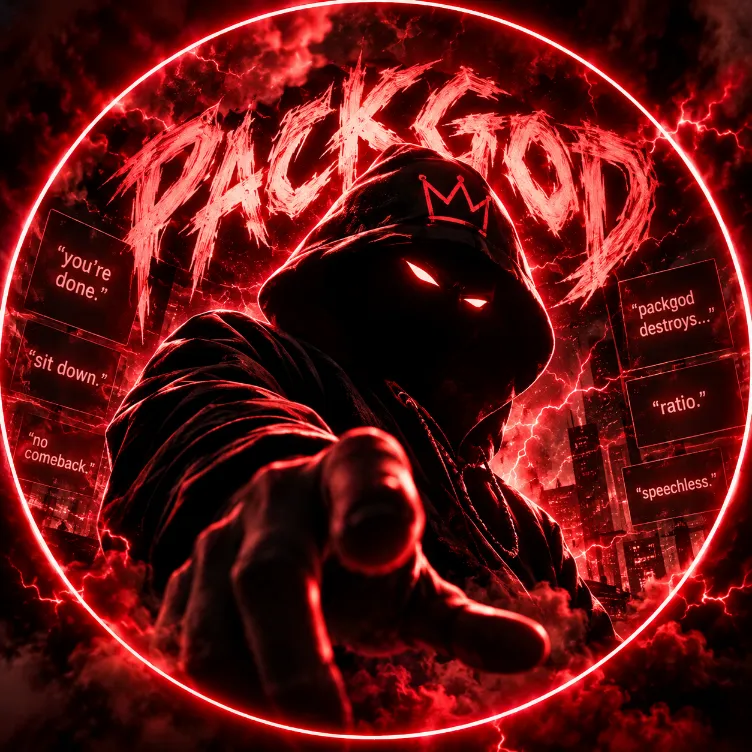
- Black backgrounds, red highlights, and dramatic shadows create an intense visual style. This option suits users who prefer darker gaming aesthetics.
4. Glitch-Effect PFP
- Digital distortion, neon outlines, and sharp color changes give an avatar a modern internet-meme appearance. Keep the effects controlled so the subject remains clear.
5. Black-and-White PFP
- Monochrome edits offer a cleaner look. Strong shadows and a close crop can preserve the expression without adding too many visual effects.
These are visual style ideas rather than a verified collection of official Packgod profile pictures. Fan edits and screenshots may vary by source.
Packgod PFP Ideas for Discord, TikTok, and YouTube
The best avatar depends on the platform and the type of profile you want to create.
| Platform | Suitable Packgod PFP style | Main advantage |
|---|---|---|
| Discord | Funny reaction or meme screenshot | Fits gaming chats and meme communities |
| TikTok | Bright, expressive close-up | Easy to identify in comment sections |
| YouTube | Recognizable creator-inspired crop | Creates a consistent channel identity |
| Clean, high-contrast avatar | Gives the profile a polished appearance | |
| Simple, centered image | Remains clear in a small circular frame | |
| Gaming accounts | Dark or glitch-effect edit | Matches an edgy gaming aesthetic |
A simple image usually works better than a complicated design filled with tiny details. Most platforms display profile pictures at relatively small sizes, so facial expressions, outlines, and central subjects deserve priority.
How to Choose a High-Quality Packgod PFP
Selecting a good Packgod PFP involves more than finding a funny screenshot. Image quality, composition, and readability all affect the final result.
Use these guidelines:
-
Check image resolution: Start with a clear source image rather than a blurry screenshot.
-
Focus on one subject: Avoid crowded frames with multiple competing details.
-
Use suitable contrast: Make sure the main subject remains visible against the background.
-
Check the circular crop: Many social platforms display avatars inside circles, cutting off the corners of square images.
-
Limit text: Small lettering can become unreadable on phones.
-
Match your account style: Choose an image that fits your gaming, meme, or entertainment profile.
-
Preview the finished image: Reduce it to thumbnail size before uploading.
A square image is a practical starting point for most profile-picture uploads. A 512 × 512 pixel image provides ample detail for many online avatars, although the ideal dimensions depend on the platform.
Packgod PFP Color and Design Guide
Color can change the mood of a profile picture without changing its main subject.
| Color or effect | Visual style | Best use |
|---|---|---|
| Black and red | Intense and dramatic | Gaming profiles |
| Blue and purple | Neon and digital | Discord avatars |
| Black and white | Minimal and sharp | Clean social profiles |
| Bright yellow | Playful and energetic | Funny meme accounts |
| Grayscale with grain | Retro and understated | Alternative profile aesthetics |
| Glitch effects | Chaotic and modern | Internet culture pages |
Avoid applying every effect to the same image. A clear subject with one or two complementary design choices can look more effective than an overcrowded edit.
How to Make Your Own Packgod PFP
Creating a custom avatar allows you to adjust the crop, colors, and effects to match your preferences.
-
Find a suitable image from a source you are permitted to use.
-
Open it in an image editor such as Canva or Photopea.
-
Crop the image into a square, keeping the main subject near the center.
-
Adjust brightness, contrast, and sharpness as needed.
-
Add a subtle color filter or glitch effect for a more dramatic look.
-
Preview the image at a small size and check its circular crop.
-
Export the finished image as PNG or JPG, depending on your quality and file-size needs.
PNG works well for crisp graphics and transparent backgrounds. JPG can work well for photographs and ordinary screenshots. Neither format automatically improves a low-resolution source image.
Related Article: Fallout PFP
Where to Find Packgod PFP Images
Several online resources can help you locate Packgod-inspired avatars and related meme images.
-
Pinterest: Browse fan edits, meme avatars, and creator-inspired graphics.
-
Google Images: Find different crops, screenshots, and visual references.
-
Discord PFP galleries: Browse meme-avatar collections suited to circular profile layouts.
-
Video screenshots: Select a suitable frame from a video you can access and use appropriately.
-
Image editors: Customize a permitted image to create a personal version.
Useful search phrases include:
-
Packgod PFP HD
-
Packgod meme avatar
-
Packgod Discord PFP
-
Packgod funny profile picture
-
Packgod dark PFP
-
Packgod gaming avatar
Check the source and usage rights before reposting or using an image commercially. An image appearing in search results does not automatically grant permission to reuse it.
Common Packgod PFP Mistakes to Avoid
Even a funny image can look poor as an avatar if the composition does not suit the platform.
| Mistake | Better approach |
|---|---|
| Using a blurry screenshot | Find a sharper source |
| Cropping out the main expression | Keep the subject near the center |
| Adding too many filters | Use a restrained editing style |
| Using tiny text | Remove lettering or make it larger |
| Ignoring the circular crop | Preview the image before saving |
| Copying an image without checking rights | Review the source and usage terms |
A strong profile picture should remain recognizable without requiring someone to open it at full size.
What does Packgod PFP mean?
Packgod PFP means a profile picture inspired by Packgod, an online creator associated with roast videos and internet humor.
Which Packgod PFP is best for Discord?
A clear reaction image, recognizable creator-inspired crop, or high-contrast meme avatar can work well. Pick a design that remains readable inside a small circle.
Can I use a Packgod PFP on TikTok?
Yes. You can use an appropriate image as your TikTok avatar, subject to the platform’s rules and any applicable image rights.
Which image format works best for a Packgod PFP?
PNG and JPG are practical options for static profile pictures. PNG suits crisp graphics, while JPG works well for many photographs and screenshots.
How can I make my Packgod PFP look sharper?
Start with a high-resolution source, crop carefully, adjust contrast moderately, and avoid excessive effects that obscure the subject.
Can I create a custom Packgod PFP?
Yes. An image editor can help you crop a suitable image, adjust its colors, and apply effects. Check the permissions for the original image before sharing or selling your edit.